
.png)
Description
Download Autowhat – WhatsApp Chatbot Platform for Business Automation
Overview
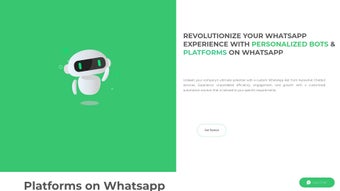
Autowhat is a comprehensive, cloud‑based platform that delivers customized WhatsApp chatbot services for businesses of all sizes. Designed to streamline operations, enhance customer service, and boost engagement, Autowhat automates routine tasks such as handling inbound inquiries, processing orders, and managing appointments. The solution’s real‑time support capabilities enable instant interaction with customers, dramatically reducing response times and eliminating the need for manual follow‑ups. What truly sets Autowhat apart is its industry‑specific customization. Whether you run a travel agency, a retail store, or a healthcare clinic, the platform tailors the bot’s dialogue, workflows, and data fields to match the nuances of your sector. This means a restaurant can take reservations, a travel company can provide flight updates, and a medical practice can send appointment reminders—all through a familiar WhatsApp interface. In addition, Autowhat includes an analytics dashboard that surfaces key performance indicators like chat volume, conversion rates, and user satisfaction in real time, empowering decision‑makers to fine‑tune strategies on the fly. With secure data handling, regular updates, and multi‑platform accessibility, Autowhat offers a scalable, cost‑effective way to turn WhatsApp into a powerful sales and support channel. Whether you’re looking to reduce operational overhead, increase lead capture, or simply provide a more responsive customer experience, Autowhat delivers a tailored bot solution that drives efficiency and growth through intelligent automation.
Key Features of Autowhat
- Industry‑Specific Templates: Pre‑built bot flows for travel, retail, healthcare, hospitality, and more, allowing rapid deployment.
- Real‑Time Customer Support: Instant messaging, auto‑responses, and live‑agent handoff to ensure no query falls through the cracks.
- Advanced Automation: Automated order processing, reservation management, appointment scheduling, and payment collection directly within WhatsApp.
- Analytics Dashboard: Live metrics on chat volume, conversion rates, response times, and customer satisfaction, with exportable reports.
- Multi‑Channel Integration: Seamlessly syncs with CRM, ERP, e‑commerce platforms, and email marketing tools.
- Secure Data Handling: End‑to‑end encryption, GDPR compliance, and role‑based access controls protect sensitive information.
- AI‑Powered Natural Language Understanding: Contextual conversation handling that learns from interactions to improve over time.
- Custom Branding: Full control over bot avatar, greeting messages, and UI colors to match your brand identity.
- Scalable Architecture: Cloud‑native infrastructure that supports thousands of concurrent chats without performance loss.
- Regular Updates & Support: Monthly feature releases, 24/7 technical support, and a dedicated account manager for enterprise plans.
Installation, Usage Guide & Compatibility
Getting started with Autowhat is straightforward and designed for non‑technical users. First, visit the official Autowhat website and click the “Start Free Trial” button. After entering your business email, you’ll receive a secure activation link. The platform is entirely web‑based, so there is no need to download a heavy client; simply log in from any modern browser on Windows, macOS, Linux, Android, or iOS. For businesses that prefer an on‑premise deployment, Autowhat also offers Docker‑based containers that can be installed on private servers—details are provided in the enterprise documentation.
Once logged in, the onboarding wizard walks you through three essential steps: selecting your industry template, connecting your WhatsApp Business API account, and configuring core bot settings. The integration with WhatsApp Business API is facilitated by a guided OAuth flow, requiring only your Business Manager credentials and phone number verification. After the connection is confirmed, you can customize the bot’s conversational flow using a visual drag‑and‑drop builder. No coding is required; however, developers can enhance functionality with JavaScript hooks and webhook endpoints for advanced logic.
After configuration, publish the bot with a single click. Autowhat instantly provisions the bot on your WhatsApp number, and you can begin testing using the built‑in sandbox environment. The platform provides real‑time monitoring tools that display active sessions, message logs, and error alerts. To ensure smooth operation, Autowhat recommends enabling push notifications for critical events and scheduling daily backups of bot configurations. The service runs on a secure, ISO‑27001‑certified cloud, guaranteeing 99.9% uptime.
Supported Operating Systems: Windows 10/11, macOS 10.15+, Linux (Ubuntu 20.04+), Android 8.0+, iOS 13+.
For ongoing usage, Autowhat’s dashboard offers a “Live Chat” console where support agents can take over conversations seamlessly. The analytics module can be set to email daily summaries or push notifications to Slack, ensuring that key stakeholders stay informed. Updates are rolled out automatically; users receive in‑app notifications when new features or security patches are available, and the platform handles all background migrations without downtime.
Pros, Cons & Frequently Asked Questions
Pros
- Highly customizable industry templates reduce implementation time.
- Real‑time analytics provide actionable insights for rapid decision‑making.
- Seamless integration with existing CRM and e‑commerce systems.
- Secure, GDPR‑compliant data handling with end‑to‑end encryption.
- Scalable cloud architecture supports businesses from startups to enterprises.
Cons
- Initial setup of WhatsApp Business API can be complex for users without technical support.
- Advanced customization may require developer resources for webhook integrations.
- Pricing for premium features is subscription‑based, which may be a consideration for very small businesses.
Frequently Asked Questions
Can I use Autowhat on a free WhatsApp account?
Autowhat requires a WhatsApp Business API account, which is linked to a verified business phone number. Personal or standard WhatsApp accounts cannot be used for the full feature set.
Is there a free trial or a free tier?
Yes, Autowhat offers a 14‑day free trial with access to all core features. After the trial, you can choose between monthly or annual subscription plans.
How does Autowhat handle customer data privacy?
All messages are encrypted in transit and at rest. Autowhat complies with GDPR, CCPA, and other regional regulations, offering data‑deletion requests and consent management tools.
Can the bot integrate with my existing CRM?
Absolutely. Autowhat provides native connectors for Salesforce, HubSpot, Zoho, and generic REST API endpoints, allowing you to sync contacts, leads, and ticket statuses automatically.
What kind of support is available if I encounter issues?
Autowhat offers 24/7 email and chat support for all plans, with priority phone support for enterprise customers. The knowledge base includes step‑by‑step guides, video tutorials, and a community forum.
Conclusion & How to Get Started
Autowhat stands out as a robust, industry‑aware WhatsApp chatbot platform that empowers businesses to automate routine interactions, deliver instant support, and gather valuable insights—all within the messaging app customers already love. Its blend of ready‑made templates, deep analytics, and secure architecture makes it a compelling choice for companies seeking to modernize their customer engagement without massive development overhead. While the initial WhatsApp Business API setup may require a brief learning curve, the long‑term benefits—reduced response times, higher conversion rates, and streamlined workflows—far outweigh the effort. If you’re ready to transform your WhatsApp channel into a revenue‑generating, service‑driving asset, click the button below to start your free trial, configure your first bot, and experience the efficiency boost that Autowhat delivers.
Guides & Tutorials for Autowhat
How to install Autowhat
- Click the Preview / Download button above.
- Once redirected, accept the terms and click Install.
- Wait for the Autowhat download to finish on your device.
How to use Autowhat
This software is primarily used for its core features described above. Open the app after installation to explore its capabilities.
User Reviews for Autowhat 0
No reviews found




